Navigation: Using Visual Build > Panes >
Output Pane


|
Navigation: Using Visual Build > Panes > Output Pane |
|
The Output pane is displayed in the lower half of the Visual Build window. The Output pane contains a colorized edit control which displays all build output.
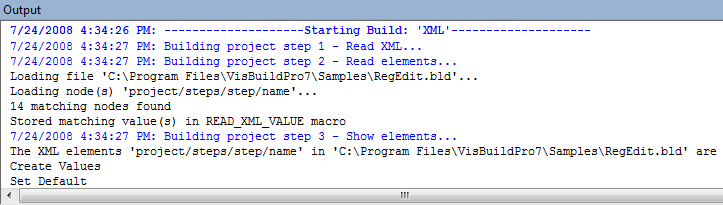
All build output is logged to the Output pane (and a log file if enabled), depending on the configured log level. Each step that is built is logged, followed by any step output, and the status of the step. The beginning and completion of a build is also logged. The colors and other output settings can be configured via the Edit menu and in the Colors, Output, and Build options dialogs.
Several capabilities are available for quickly navigating through the build output.