Navigation: Application Components > Panes > Item Details Pane >
Text Document Editor


|
Navigation: Application Components > Panes > Item Details Pane > Text Document Editor |
|
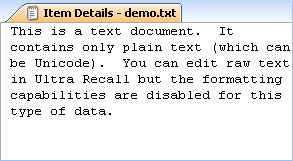
For plain text Info Items (ie. an Info Item for a .txt file), Ultra Recall will display (and allow editing) in the Text Document Editor component of the Item Details Pane.
A syntax coloring text editor can also be used to edit text and source code files by enabling the related editor option. The syntax coloring will be based on the extension of the item's URL attribute. In addition to syntax coloring, the editor also provides code folding, auto-completion (Ctrl+Space), bookmarks, line numbers, and more. Definitions for other languages can be created using this documentation, saving with a .schclass extension, and copying the file to the Editor\Schemas subfolder of the Ultra Recall installation path.
Below is the Text Document Editor:
See Also: