Navigation: Application Components > Dialogs >
Attributes Dialog


|
Navigation: Application Components > Dialogs > Attributes Dialog |
|
The complete list of defined Attributes is managed with the Attributes Dialog.
Each Attribute has a unique name and several properties that can be modified using this dialog.
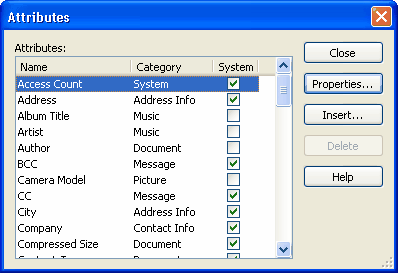
The following buttons are provided to manage the list of Attributes:
| • | Properties: Click this button (or use the Enter key) to view/edit the properties of the selected Attribute |
| • | Insert: Click this button (or use the Insert key) to create a new attribute |
| • | Delete: Click this button (or use the Delete key) to delete an existing attribute |
Notes:
| • | Attributes marked as System are pre-defined and can not be deleted. |
| • | Creation and modification of custom attributes is available in Professional edition only. |
How to access:
| • | Menu Bar: Tools | Attributes... |
See Also: